

Before the next session
Review today's bookings
Use the Sessions workspace to see what is waiting, ready for handover, active, or already finished at your assigned venue.
Open today's sessionsBefore you start
- Sign in with the venue-manager account assigned to the venue you are working at.
- Know which local day and venue you need to review; session times follow the venue timezone.
- Keep the PeachMe mobile app nearby for the handover scanner when a player arrives.
- Portal
- Sessions
- Today
Select the assigned venue first when your account covers more than one location, then use Today to return to the current operating day.
- 1
Open Sessions
Open Sessions from the portal navigation. The workspace stays limited to venues assigned to your account.
- 2
Choose the venue and day
Select the venue you are working at, then choose Today. Check the timezone shown above the daily matrix before comparing session times.
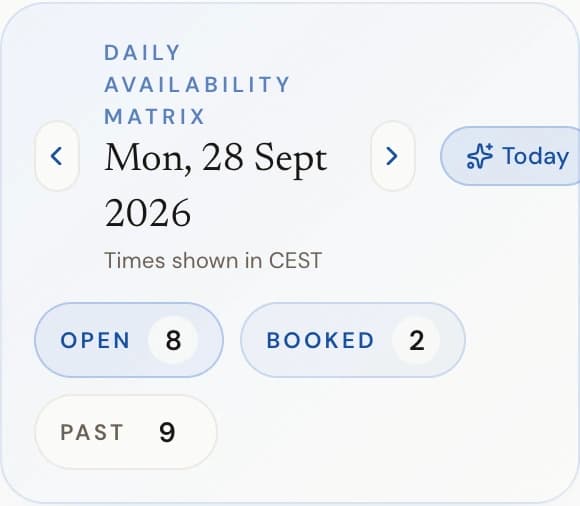
The day header above the matrix: day switcher, timezone note, and today's slot counts. - 3
Read the booking state
Requested, Awaiting claim, or Pending payment is not ready for handover. Confirmed or Auto-confirmed is ready. In progress means the machine is with the player; Completed, Cancelled, and Expired need no normal handover action.
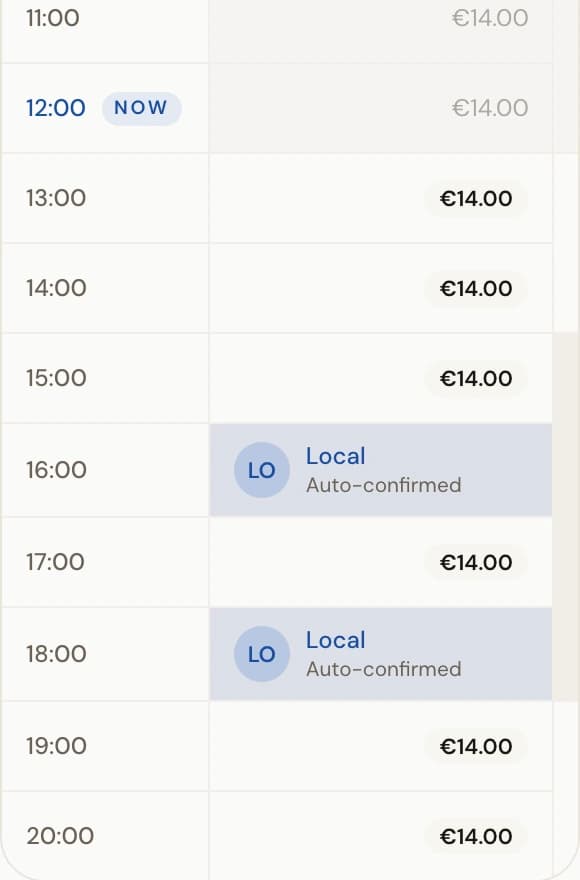
Today's matrix: free slots show the price, booked slots show the renter and booking state. - 4
Prepare the next machine
Match the confirmed session to its machine and time. Check that the machine is present, charged, complete, and still bookable before the player arrives.
- 5
Use the scanner at handover
When the player arrives, open the venue-manager Scan QR action in the PeachMe mobile app. Scan the membership card or booking QR and confirm only the matching session.
Waiting
Claim or payment is incomplete
Ready
Confirmed for handover
Active
Machine is with the player
Finished
Completed, cancelled, or expired
You're done when
You can identify the next confirmed session, its venue time, assigned machine, and whether the next action belongs in the portal or the mobile scanner.
If something doesn't match
- An expected booking is missing: confirm the venue, day, and timezone, then refresh. Ask the player to open their booking if the session still does not appear.
- A booking is Pending payment or Awaiting claim: do not hand over the machine yet. The player must finish the claim or payment flow first.
- An assigned venue is missing: do not widen the scope or use another venue's record. Ask a superadmin to correct the venue assignment.
- A confirmed booking overlaps new blocked time or an unavailable machine: the booking stays valid. Coordinate an alternative with PeachMe; do not assume the block cancelled it.