

Today's work
Hand over and receive a machine
Use the venue-manager scanner to find the member's active booking, start the session, and record the return.
Review today's sessionsBefore you start
- Sign in to the portal with a venue-manager account linked to the correct venue.
- Ask the player to show their PeachMe membership card or booking QR.
- Check that the assigned machine is present, charged, and safe to use.
- Venue manager
- Scan QR
- Booking found
The mobile scanner handles the court-side handover and return. Use the web portal to review the wider session list before the player arrives.
- 1
Open the booking scanner
From the venue-manager workspace, open today's bookings and select Open scanner.
- 2
Scan the player's code
Scan the membership card or booking QR. If more than one booking can be acted on, select the session that matches the venue and time.
- 3
Confirm the handover
Review the player, machine, session time, and payment state. Select Confirm handover only after the correct machine has been given to the player. This starts the session; it does not complete the charge.
- 4
Inspect and confirm the return
When the machine comes back, scan the code again and inspect the machine and accessories. Confirming the return ends the session and triggers card capture or voucher or point-card consumption.
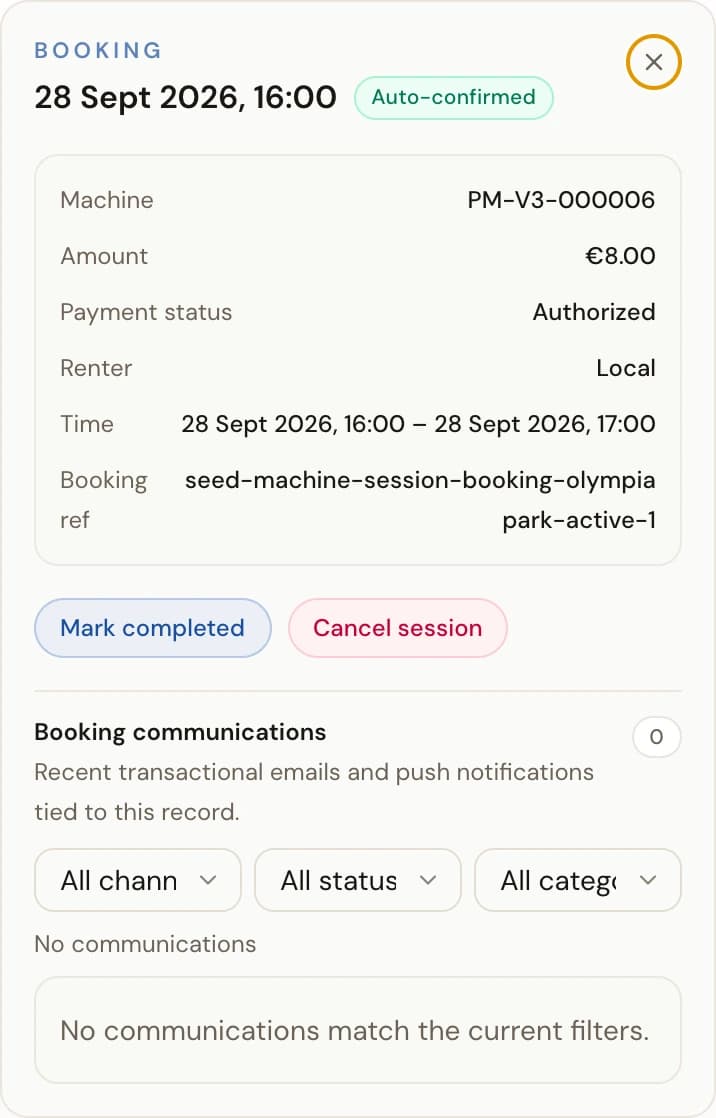
If the scanner is unavailable, open the booking on the Sessions page — Mark completed closes the session and triggers the payment step.
Scan
Find the active booking
Hand over
Start the session
Receive
Inspect the return
Complete
Finish payment processing
You're done when
The booking shows as completed, the return time is recorded, and the payment state is processing or complete. The machine remains available unless you separately take it out of service.
If something doesn't match
- No actionable booking appears: confirm the venue, booking time, and player account, then check today's booking list.
- The wrong booking appears: do not confirm it. Return to the booking list and match the venue, time, and machine.
- The machine returns damaged or incomplete: do not make it available. Record the problem and take it out of service before the next booking.
- Payment does not update: keep the recorded return and contact PeachMe support with the booking reference. Do not confirm the return a second time.