

On the court
Connect and use the machine safely
Start only after handover, keep the launch path clear, connect beside the machine, and test a gentle feed before beginning your drill.
Open PeachMe appBefore you start
- Wait until the venue manager has handed over the machine and your booking shows Active.
- Read the machine safety section and use only the battery, remote, balls, and accessories supplied for this machine.
- Keep children and bystanders away and never stand in front of the ball exit while the machine is powered.
- PeachMe app
- Device
- Connect
- Practice
Stay next to the powered machine with Bluetooth enabled until the connection succeeds, then move to the safe playing position before starting feed.
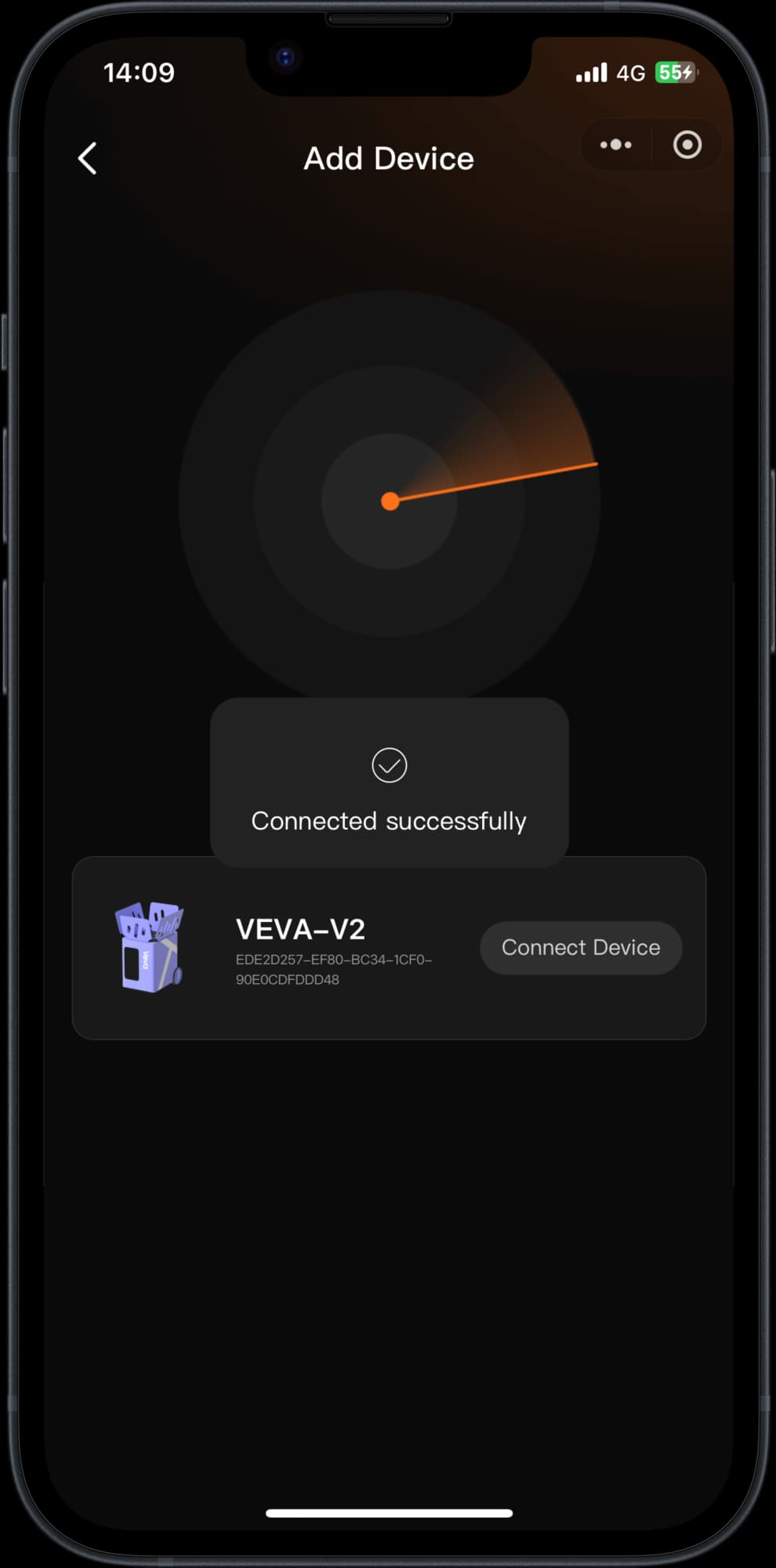
Connection confirmed
Safe court position
Keep the launch path clear
- 1
Inspect and position the machine
Check that it is complete, dry, stable, and free of visible damage. Position it on level ground behind the baseline or at the venue's marked point, aimed into the clear court.
- 2
Power on safely
Follow the model-specific battery and first-use sequence in the machine manual. Keep the hopper secure and the ball exit clear before using the main power switch.
- 3
Connect nearby
Enable Bluetooth, open Device in the PeachMe app, choose Connect, and select the matching machine. Stay close until the app shows a successful connection.
- 4
Choose a gentle first practice
Select a basic practice with low speed and a comfortable feed interval. Confirm the intended direction before adding balls or starting delivery.
- 5
Move clear and start
Stand behind or beside the machine while checking setup, then move to the player position across the net. Start feed only when nobody is inside the launch path.
- 6
Pause before every adjustment
Pause ball delivery before approaching, refilling, repositioning, or checking the machine. At the end, pause, switch off safely, and return the complete setup to the venue manager.
Inspect
Stable, dry, and complete
Connect
Pair beside the machine
Clear
Move out of the launch path
Start
Test a gentle first feed
You're done when
The app shows the matching machine as connected, the court and launch path are clear, and a low-speed test sends balls safely toward the intended area.
If something doesn't match
- No machine appears: stay close, confirm Bluetooth permission and machine power, then scan again. Do not connect to a machine with a different displayed ID.
- The app disconnects: pause the machine, move closer, and reconnect. Do not continue changing settings while the control state is uncertain.
- A ball jams or feed becomes irregular: pause, switch off, disconnect power, and ask the venue manager. Never reach into the launch opening or turntable while powered.
- The machine is wet, damaged, unstable, or aimed toward people: do not start it. Step away and tell the venue manager immediately.